

Setting up GoHighLevel correctly from the beginning can save you a lot of trouble later. The platform gives businesses plenty of tools for managing leads, appointments, communication, sales, and automation, but trying to configure everything at once can quickly become confusing.
I’ve seen businesses rush through the initial setup, only to discover later that their contacts aren’t organized, their pipelines don’t match their sales process, or their automations aren’t working the way they expected.
A good foundation makes everything else easier. When your CRM is organized, your customer journey is clear, and your basic settings are configured properly, you can build automations without constantly going back and fixing the basics.
Before launching your GoHighLevel account, there are a few areas worth setting up and checking first. This checklist walks through those areas step by step so you can build your system in a more organized way.
What You’ll Discover
In this article, you’ll learn:
- Everything you need to set up inside a new GoHighLevel account.
- How to organize contacts, pipelines, calendars, and communication.
- Which settings should be configured before building automations.
- What to test before your system goes live.
- Common setup mistakes that new users should avoid.
- A simple checklist you can follow from start to finish.
The goal isn’t to configure every GoHighLevel feature on day one. Instead, we’ll focus on getting the important pieces in place first and then building from there.
Before You Start Your GoHighLevel Setup
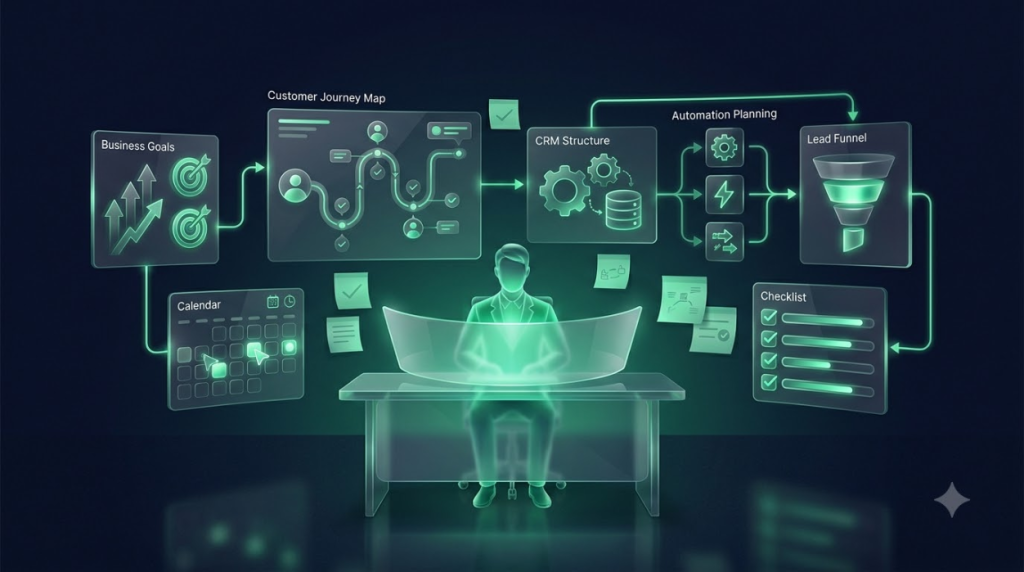
Before opening settings and creating your first automation, take a step back and decide what you actually want GoHighLevel to do for your business.
This small planning step can save you a lot of unnecessary work later.
Define Your Business Goals
Start by asking a simple question: What do you want GoHighLevel to manage?
Different businesses will have different priorities. You may primarily need it for lead generation, while another business may be more focused on appointments or customer follow-ups.
Your main goals could include:
- Lead generation — Capture and organize new inquiries.
- Sales — Track prospects as they move through your sales process.
- Appointments — Allow customers to book and manage appointments.
- Customer communication — Keep emails, SMS, calls, and conversations organized.
- Follow-ups — Make sure leads and customers don’t get forgotten.
- Reviews — Automatically request feedback after a service or purchase.
You don’t need to use every feature immediately. Start with the areas that solve your biggest business problems.
Map Your Customer Journey
Next, think about what normally happens after someone first contacts your business.
For example:
New Lead → Qualified Lead → Appointment → Proposal → Customer → Repeat Customer
Your actual journey may look different, and that’s completely fine. The important thing is to understand the steps your customers normally go through.
Once you have this mapped out, it becomes much easier to decide where your CRM, pipelines, calendars, and automations should fit.
Decide What You Want to Automate
Finally, identify the repetitive tasks your team performs regularly.
These are usually the best places to start with automation.
Common examples include:
- Lead follow-ups — Automatically contact new leads after they submit an inquiry.
- Appointment reminders — Remind customers about upcoming appointments.
- Missed calls — Send an automatic response when your team can’t answer.
- Review requests — Ask customers for reviews after completing a service.
- Customer re-engagement — Reach out to customers who haven’t interacted with your business for a while.
The key is to start with a few useful automations rather than trying to automate the entire business at once. Once those systems are working properly, you can gradually add more.
GoHighLevel Account & Business Settings
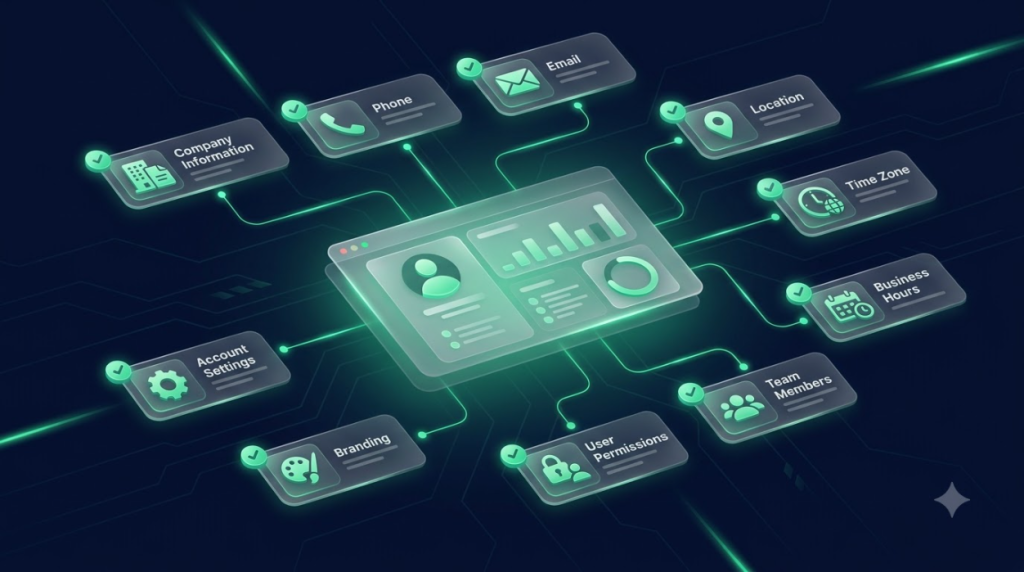
Before you start building funnels or automations, get the basic account settings right. These details may seem small, but they affect how your business information appears across your communication, appointments, and other parts of GoHighLevel.
Business Information
Start by entering your core business details:
- Business name — Use your official business name consistently.
- Address — Add your business location or registered address.
- Phone number — Use the number customers should contact.
- Email — Add the main business email for communication and notifications.
- Time zone — Make sure this matches your actual business location.
- Business hours — Set your working hours so appointments and customer communication follow the right schedule.
Taking a few minutes to check these details now can prevent confusion later, especially when you start using calendars and automated communication.
User & Team Setup
If more than one person will be using the account, add your team before launching your campaigns.
- Add team members who need access.
- Assign roles based on what each person handles.
- Set permissions so users only have access to the areas they need.
- Assign responsibilities for leads, appointments, conversations, and follow-ups.
A clear team structure makes it easier to know who is responsible for each customer or opportunity.
Account Settings
Once the basic business information is ready, review the other account-level settings.
Pay attention to:
- Company details
- Notification preferences
- Branding
- Default settings
Don’t rush through these settings. Your goal is to make sure the account reflects how your business actually operates before you start building more advanced systems.
Set Up Your GoHighLevel CRM
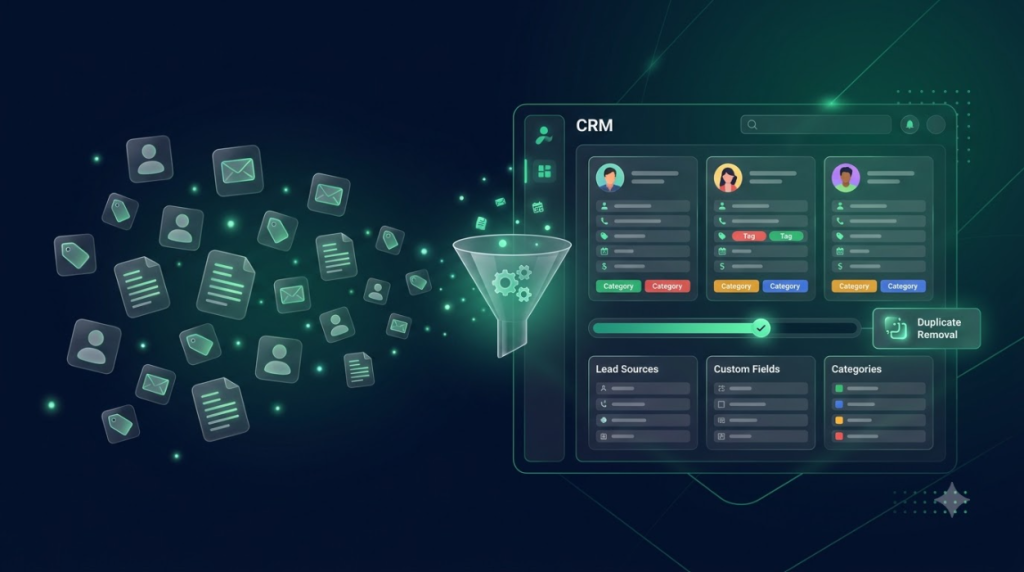
Your CRM is where your customer and lead information will live, so it’s worth getting this organized before you start creating automations.
A messy CRM can make even well-built automations difficult to manage.
Import Your Contacts
If you’re moving from another CRM or already have a customer database, bring your existing information into GoHighLevel.
This may include:
- Existing customers
- Leads
- Prospects
- Contact information
Before importing everything, check your existing database for duplicate or outdated records. There’s little benefit in bringing unnecessary data into a new system.
Organize Contacts
Once your contacts are inside GoHighLevel, create a simple structure that makes them easy to manage.
You can organize contacts using:
- Tags — Group contacts based on relevant characteristics or actions.
- Custom fields — Store information specific to your business.
- Contact sources — Keep track of where leads came from.
- Customer categories — Separate prospects, customers, inactive customers, or other groups.
The goal isn’t to create dozens of categories. Keep your structure simple enough that your team can understand and use it consistently.
Clean Your Database
Before building automations, take some time to clean your contact database.
Check for:
- Duplicate contacts
- Missing information
- Inactive contacts
Remove unnecessary duplicates, update important missing information, and archive contacts that no longer need to be part of your active processes.
A clean database gives you a much better foundation for everything you build later.
Build Your Sales Pipeline

Your pipeline should reflect how your business actually turns a lead into a customer. It gives your team a clear view of where every opportunity stands.
Create Pipeline Stages
Start with the stages your sales process naturally follows.
For example:
New Lead → Contacted → Qualified → Appointment → Proposal → Won/Lost
You don’t have to copy this exact structure. A local service business, agency, consultant, or real estate company may all need different stages.
The important thing is that each stage has a clear purpose.
Customize Your Pipeline
Once you’ve decided on the stages, make sure they match the way your team works.
Consider:
- Add relevant stages that reflect your actual sales process.
- Define stage responsibilities so everyone knows what should happen at each stage.
- Assign team members responsible for specific opportunities.
- Create follow-up actions for leads that need additional attention.
A well-structured pipeline makes it much easier to see what needs to happen next instead of relying on memory or spreadsheets.
Set Up Opportunity Management
Finally, decide what information your team needs to track for each opportunity.
Useful details can include:
- Lead value
- Lead source
- Assigned user
- Expected close date
Keep the information practical. Your pipeline should help your team make decisions and take action—not become another complicated system they have to maintain.
Set Up Your GoHighLevel Calendar
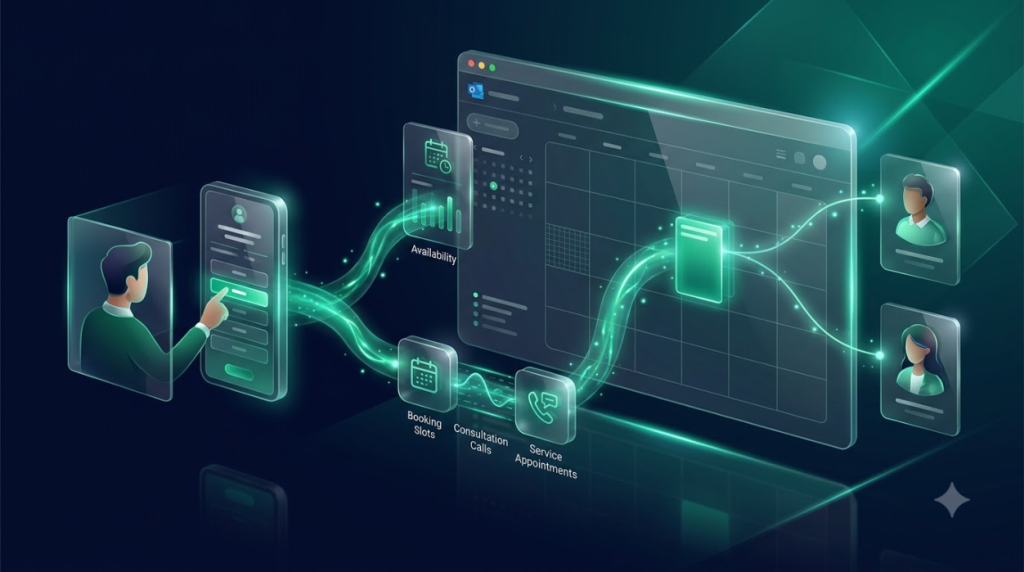
Once your CRM is organized, the next step is making sure customers can easily book appointments. A properly configured calendar helps prevent scheduling conflicts and gives customers a simple way to choose a suitable time.
Connect Your Calendar
Connect GoHighLevel with the calendar your business already uses, such as:
- Google Calendar
- Outlook Calendar
- Other supported calendars
Keeping your calendars connected helps your team maintain an accurate view of their availability.
Configure Availability
Set your appointment rules before sharing your booking link with customers.
Review:
- Working hours — Define when appointments can be booked.
- Appointment duration — Decide how long each appointment should take.
- Breaks — Block out times when your team isn’t available.
- Buffer time — Leave enough time between appointments when needed.
These settings help prevent customers from booking times that don’t work for your team.
Create Appointment Types
If your business offers different types of meetings or services, create separate appointment types for them.
Examples include:
- Consultation
- Discovery call
- Service appointment
- Follow-up meeting
Each appointment type can have its own duration and scheduling requirements.
Set Up Booking Pages
Your booking page is where customers will choose their appointment time.
Make sure you’ve configured:
- Booking form
- Confirmation page
- Calendar availability
- Confirmation messages
Before sharing the booking page, test it yourself from the customer’s perspective to make sure the entire process works correctly.
Set Up Communication Channels

Your CRM and calendar are only part of the setup. You’ll also need to configure the communication channels your business will use to interact with leads and customers.
Start by configuring your business email setup.
This can include:
- Connect your sending domain
- Configure email settings
- Add your business email
- Create email templates
Before sending campaigns to real customers, send test emails to confirm that messages are being delivered and displayed correctly.
SMS
If you plan to communicate with customers through text messages, configure your SMS setup before creating automated campaigns.
Make sure you:
- Set up your phone number
- Configure messaging
- Complete required compliance steps
- Test messages
Testing is particularly important for automated messages such as appointment confirmations and reminders.
Phone & Calling
If your business handles calls through GoHighLevel, configure your business phone settings as part of the initial setup.
Check:
- Business phone number
- Call forwarding, if required
- Voicemail
- Incoming and outgoing calls
Make a test call in both directions before relying on the system for customer communication.
Conversations
GoHighLevel can bring customer conversations into one place, making it easier for your team to manage communication.
Before launch:
- Check the unified inbox
- Assign conversations
- Configure notifications
- Set team responsibilities
Make sure everyone on your team understands who is responsible for responding to incoming conversations.
Set Up Forms & Lead Capture
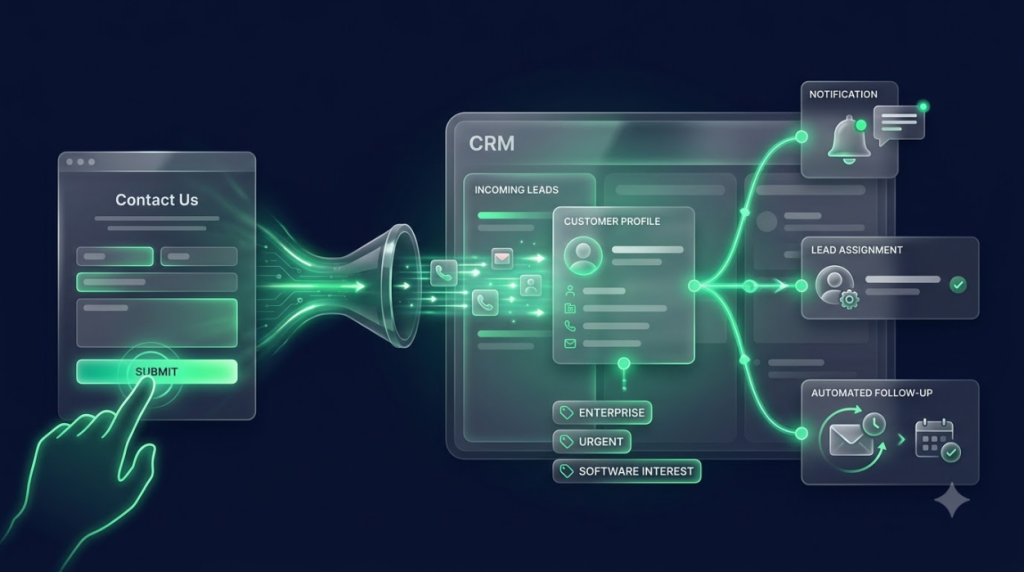
Forms are often the first point of contact between a potential customer and your business. Setting them up correctly ensures new inquiries enter your CRM and reach the right people.
Create Your Forms
Create forms based on the ways customers typically contact your business.
Common examples include:
- Contact forms
- Quote requests
- Consultation forms
- Lead capture forms
Only ask for information you actually need. A shorter form can make it easier for prospects to submit an inquiry.
Connect Forms to CRM
Your forms should connect directly to your CRM so new inquiries don’t have to be entered manually.
Depending on your setup, a form submission can:
- Create contacts automatically
- Apply tags
- Assign leads
- Trigger follow-up
This is where your lead capture process starts becoming more efficient.
Test Every Form
Never assume a form is working just because it looks correct on the page. Test the complete process before sending real traffic to it.
Submit a test inquiry and check:
- Test lead submission
- Contact creation in the CRM
- Team notifications
- Automation triggers
A few minutes of testing can prevent leads from disappearing into a broken form or incorrectly configured automation.
Build Your First GoHighLevel Automations
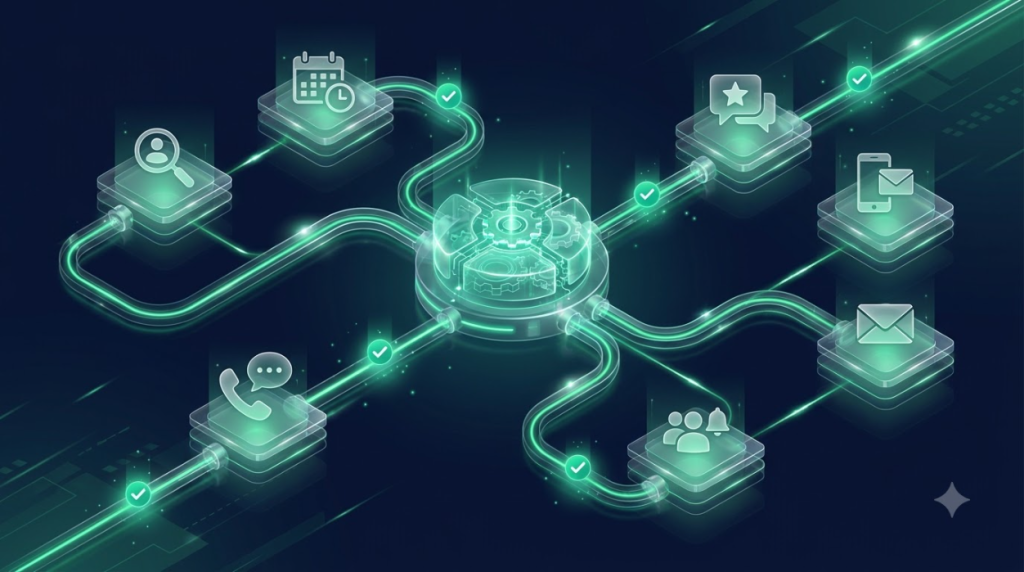
Once your CRM, calendar, forms, and communication channels are ready, you can start adding automation. The important thing is not to automate everything at once. Start with the processes that have the biggest impact on your daily operations.
New Lead Follow-Up
New leads should receive a response as quickly as possible. A simple follow-up automation can handle the initial communication while notifying your team.
You can set it up to:
- Send an instant SMS
- Send an email confirmation
- Notify your team
- Start a follow-up sequence
This helps prevent new inquiries from being forgotten and gives your team time to take over when needed.
Appointment Reminder
Once customers start booking appointments, reminders can help reduce missed appointments.
A basic reminder automation can include:
- Booking confirmation
- 24-hour reminder
- Same-day reminder
Keep the messages clear and make sure customers have all the information they need before their appointment.
Missed Call Follow-Up
Missing a customer call doesn’t have to mean losing the opportunity. Set up an automation that responds when your team can’t answer.
It can:
- Send an automatic SMS
- Notify the appropriate team member
- Start a follow-up process
This allows your business to respond quickly even when everyone is busy.
Review Request
After completing a service, you can automatically ask customers for feedback or an online review.
A simple review automation can include:
- Post-service message
- Review link
- Reminder
Make sure the request is sent at an appropriate time when the customer’s experience is still fresh.
Set Up Your Website & Funnels
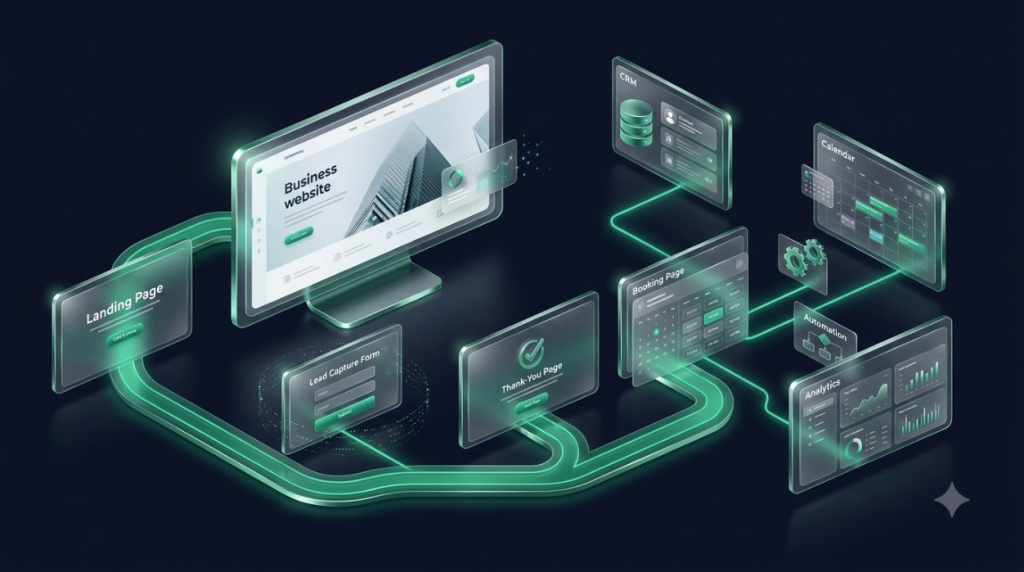
Your website and funnels are often where customers first interact with your business. Make sure these pages are connected properly to your CRM, forms, calendars, and tracking before launching them.
Website
At a minimum, your business website should have the essential pages customers need to understand and contact your business.
These may include:
- Homepage
- About page
- Services page
- Contact page
- Privacy policy
Keep the information clear and make it easy for visitors to take the next step.
Funnels
Funnels are useful when you want to guide visitors toward a specific action, such as submitting an inquiry or booking an appointment.
A basic funnel might include:
- Landing page
- Lead capture
- Thank-you page
- Booking page
Each step should have a clear purpose and lead naturally to the next one.
Connect Everything
The real value comes from connecting your website and funnels with the rest of your GoHighLevel setup.
Check that your:
- Forms
- CRM
- Calendar
- Automations
- Tracking
are connected and working together.
For example, someone who submits a landing page form should appear in your CRM, receive the appropriate follow-up, and trigger any other actions you’ve configured.
Set Up AI Features
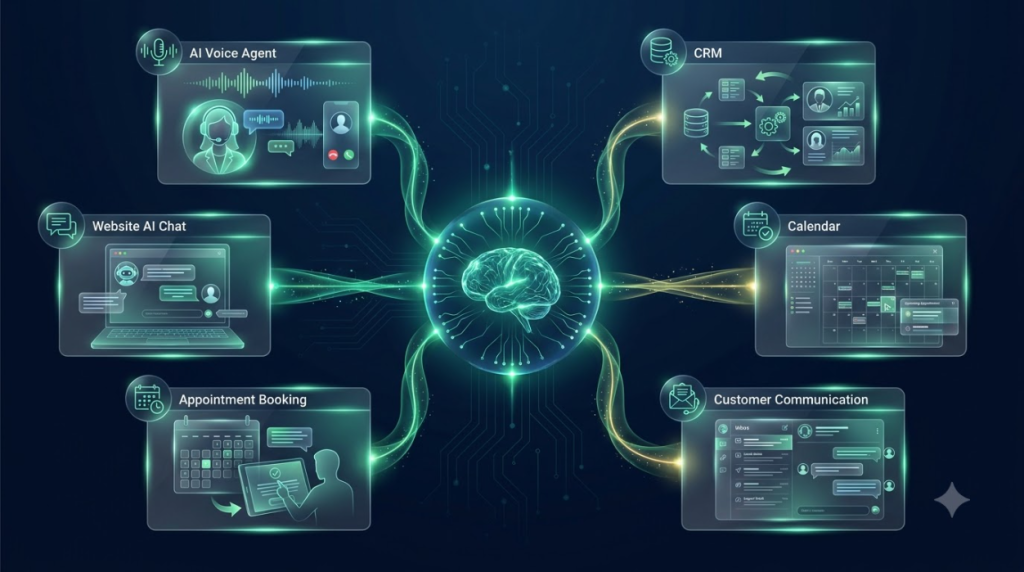
AI can help businesses handle customer communication and repetitive tasks, but it’s best to introduce these features after your basic CRM and processes are organized.
AI Voice Agents
If you plan to use AI for phone conversations, start by defining exactly what you want the AI to handle.
Consider:
- Define the purpose — Decide whether the AI will answer calls, qualify leads, book appointments, or handle another specific task.
- Create conversation guidelines — Give the AI clear instructions about how it should communicate.
- Connect the CRM — Make sure relevant customer information can be used during the interaction.
- Set human handoff — Define when a conversation should be passed to a team member.
AI Chat
AI chat can help website visitors get answers and take the next step without always waiting for a team member.
You can use it for:
- Website chat
- Lead questions
- Customer support
- Lead qualification
Start with common questions your team already receives and expand the system as you learn what customers need.
AI Appointment Booking
AI can also assist customers who want to schedule an appointment.
Before enabling it, make sure you have configured:
- Availability
- Booking rules
- Confirmation
- Follow-up
Your calendar should already be tested before connecting it to AI-powered booking.
Set Up Tracking & Reporting
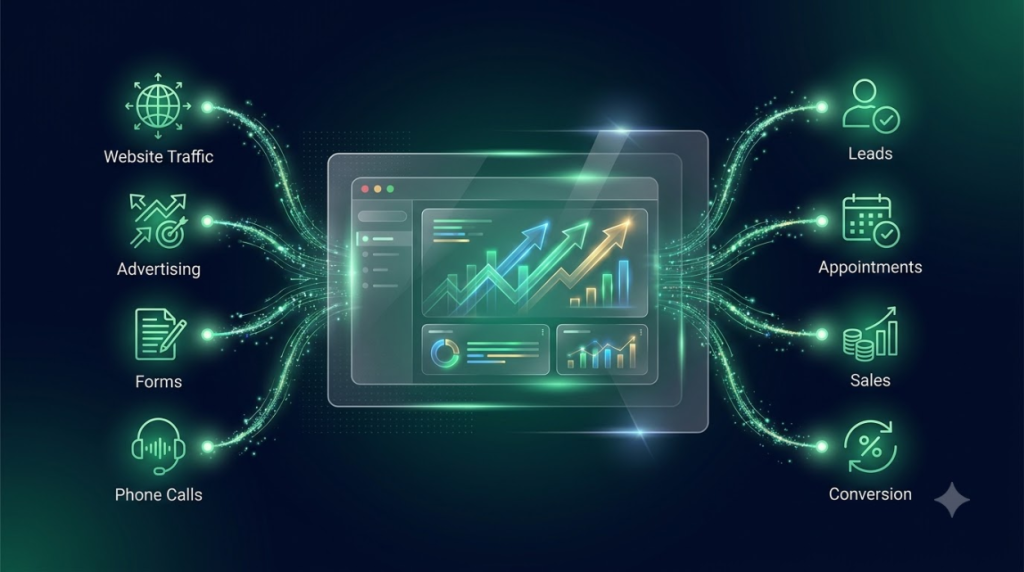
Once your website, forms, funnels, and campaigns are running, you need a way to understand what’s working.
Tracking and reporting help you see where leads are coming from and what happens after they enter your system.
Tracking
Depending on your marketing setup, you may want to configure:
- Google Analytics
- Conversion tracking
- Ad tracking
- Form submissions
- Calls
Test your tracking before launching campaigns so you don’t lose valuable data from the beginning.
Reporting
Your reports should focus on metrics that actually matter to your business.
Useful information can include:
- Leads generated
- Appointments booked
- Conversion rate
- Sales
- Campaign performance
Don’t try to track every possible metric. Start with the numbers that help you understand whether your marketing and sales processes are working.
Set Up Reputation Management

Your online reputation can influence whether new customers decide to contact your business. GoHighLevel can help you make review requests part of your normal customer process.
Review Requests
Start by deciding where you want customers to leave reviews.
Then:
- Choose your review platform
- Create your request message
- Automate review requests
Ideally, the request should be connected to the completion of your service so customers receive it at the right time.
Monitor Reviews
Getting reviews is only part of reputation management. You should also have a process for keeping track of new feedback.
Review:
- New reviews
- Customer feedback
- Response process
Make sure your team knows who is responsible for monitoring and responding to customer feedback. A consistent process can help you maintain a stronger online reputation as your business grows.
GoHighLevel Setup Checklist Before Launch
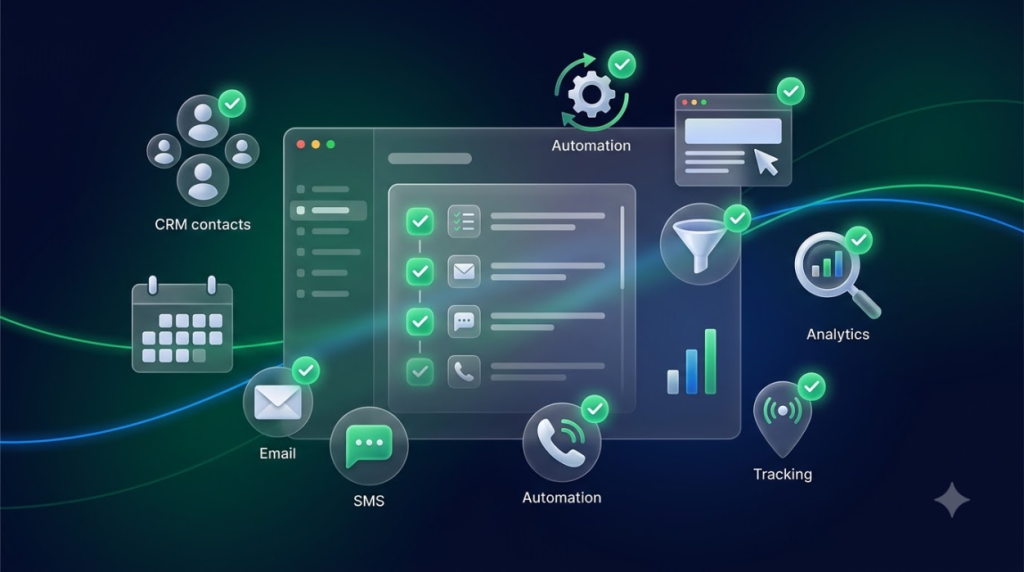
Before you start sending traffic or relying on GoHighLevel for daily operations, take some time to test the important parts of your setup. This final check can help catch small issues before they affect real customers.
CRM
- Contacts imported
- Tags created
- Custom fields configured
- Pipeline created
Calendar
- Calendar connected
- Availability configured
- Booking page tested
Communication
- Email connected
- SMS configured
- Phone tested
- Conversations inbox checked
Automation
- Lead follow-up tested
- Appointment reminders tested
- Missed-call automation tested
- Review automation tested
Website & Funnels
- Pages tested
- Forms tested
- Links checked
- Mobile version checked
Tracking
- Analytics connected
- Conversion tracking tested
- Reporting configured
Think of this as your pre-launch quality check. Even if every item appears to be configured correctly, test the complete customer journey yourself. Submit a form, book an appointment, trigger an automation, and check what happens at every stage.
Common GoHighLevel Setup Mistakes

A new GoHighLevel account can quickly become complicated if you try to build everything without a clear plan. Avoiding these common mistakes can make the setup much easier to manage.
Trying to Set Up Everything at Once
GoHighLevel has a lot of features, but you don’t need to configure everything immediately. Start with the tools your business actually needs and expand gradually.
Skipping CRM Organization
Your CRM is the foundation for many of your processes. If contacts, tags, custom fields, and pipelines aren’t organized properly, your automations can become difficult to manage.
Building Automations Too Early
It’s tempting to start creating automations immediately. However, your CRM, customer journey, and processes should be clear first. Otherwise, you may end up rebuilding your automations later.
Not Testing Forms
A form that looks perfect on your website can still have problems behind the scenes. Always submit test entries and confirm that contacts are created and the correct actions are triggered.
Forgetting Calendar Settings
Incorrect availability, appointment durations, or booking rules can create scheduling problems. Test your booking process from the customer’s perspective before launching it.
Ignoring Email & SMS Configuration
Don’t wait until you’re ready to launch a campaign to configure your communication channels. Set them up and test them early.
Using Too Many Tags
Tags are useful for organizing contacts, but creating too many can make your CRM confusing. Create a simple naming and organization system that your entire team can follow.
Not Setting User Permissions
Not every team member needs access to everything. Set appropriate permissions so people can access the information and tools required for their responsibilities.
Launching Without Testing
One of the biggest mistakes is assuming everything works because it looks configured correctly. Test forms, calendars, emails, SMS, calls, automations, and customer journeys before going live.
Never Reviewing the Setup
Your business will change, and your GoHighLevel setup should change with it. Review your CRM, automations, pipelines, and processes regularly to make sure they still match the way your business operates.
How Long Does a GoHighLevel Setup Take?
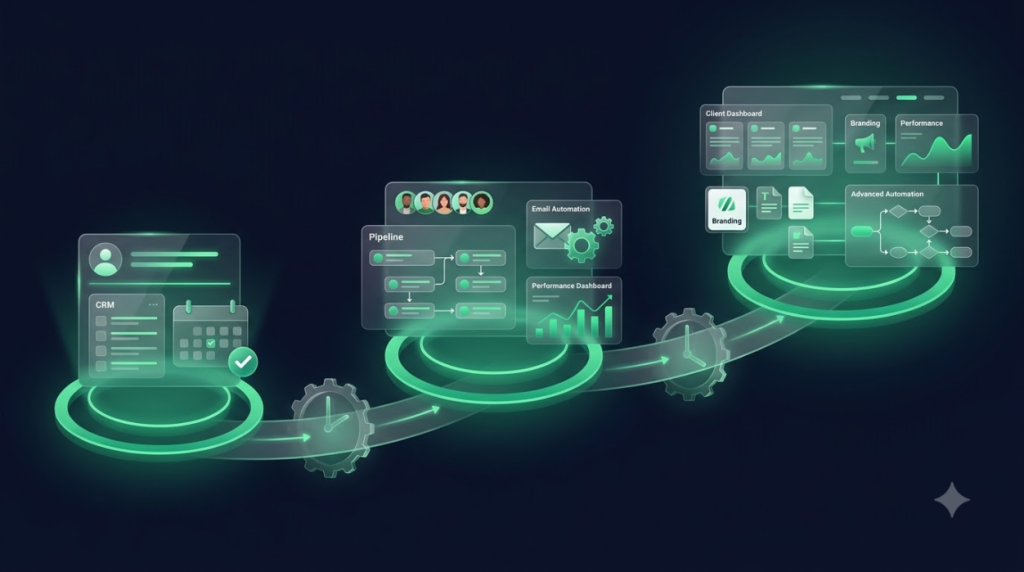
There isn’t one fixed setup time for every business. The amount of time required depends more on the complexity of your business and processes than simply on how many GoHighLevel features you want to use.
A small business with a straightforward customer journey may need only a basic CRM, calendar, forms, and a few automations. A growing company or agency may need multiple pipelines, funnels, advanced automations, reporting, branding, and several accounts.
Small Business
A relatively simple setup may include:
- Basic CRM
- Calendar
- Forms
- Simple automations
If your processes are straightforward, you can focus on getting these core systems working properly before adding anything more advanced.
Growing Business
As the business becomes more complex, the setup may include:
- CRM
- Multiple pipelines
- Funnels
- Several automations
- Reporting
More customer journeys and team members generally mean more processes that need to be configured and tested.
Agency
Agencies often have a more involved setup because they may manage multiple accounts and clients.
This can include:
- Multiple accounts
- Client setup
- Branding
- Templates
- Advanced automation
The key takeaway is that setup time depends on business complexity, not just the number of features available. A simple account with only a few features can still take time if the underlying customer journey is complicated.
Best Practices for a Successful GoHighLevel Setup
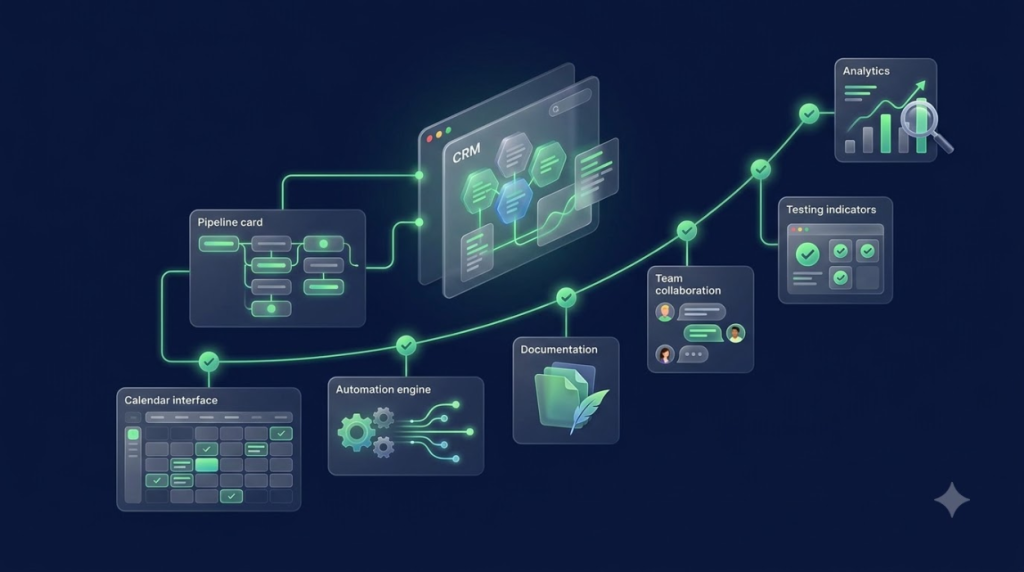
A successful setup isn’t about configuring the most features. It’s about creating a system your team can actually understand, use, and maintain.
Start Small
Begin with the features that solve your biggest problems today. You can always add more later.
Build One System at a Time
Finish and test one important process before moving on to the next. This makes it easier to identify problems and avoid unnecessary complexity.
Keep Your CRM Organized
Use consistent tags, custom fields, contact categories, and pipeline stages so everyone on your team understands how information is organized.
Test Before Going Live
Test the complete customer journey before sending real customers through it. Look at the process from both the customer’s and team’s perspective.
Document Important Processes
Keep a simple record of important automations, pipeline stages, lead-handling processes, and team responsibilities. This becomes especially useful when your team grows.
Train Your Team
A well-configured system won’t help much if your team doesn’t know how to use it. Make sure everyone understands the parts of GoHighLevel relevant to their role.
Review Your Automations Regularly
Check your automations periodically to make sure triggers, messages, delays, and actions still match your current business processes.
Improve as Your Business Grows
Your first setup doesn’t need to be your final setup. As you gain more customers and learn more about your processes, continue improving the system.
Frequently Asked Questions
What should I set up first in GoHighLevel?
Start with your business information, users, CRM, pipeline, calendar, and communication channels. Once these foundations are organized, you can begin building forms and automations.
How long does it take to set up GoHighLevel?
It depends on the complexity of your business. A simple setup can be relatively straightforward, while businesses with multiple pipelines, funnels, automations, and team members will require more planning and testing.
Do I need technical knowledge to set up GoHighLevel?
You don’t necessarily need advanced technical knowledge for a basic setup. However, more complex automations, integrations, tracking, and AI features may require additional experience.
Should I import my existing contacts?
If you already have leads or customers in another system, importing them can help you keep your customer information in one place. Before importing, clean the data and remove duplicates or outdated information.
What automations should I build first?
Start with automations that solve repetitive tasks with a clear business benefit. New lead follow-up, appointment reminders, missed-call follow-up, and review requests are good starting points.
Do I need to connect my email and phone?
If you plan to communicate with customers through email, SMS, or phone calls inside GoHighLevel, you should configure and test those channels before launching your campaigns.
Can I set up GoHighLevel myself?
Yes, a business with straightforward requirements can handle much of the setup itself. The important thing is to follow a structured process and test everything before going live.
Should I hire someone for the GoHighLevel setup?
Professional help can be useful if your setup involves complex automations, multiple pipelines, integrations, AI features, or a larger team. It can also help reduce the time spent troubleshooting setup problems.
How often should I review my GoHighLevel setup?
Review your setup regularly and whenever you introduce a new service, campaign, team member, or sales process. Your GoHighLevel account should evolve alongside your business.
Final Thoughts
A successful GoHighLevel setup starts with a clear plan rather than a long list of features.
Organize your CRM before building complex automations. Configure your communication channels and calendars before launching campaigns. Most importantly, test the important parts of your system before real customers start using them.
You don’t need to build everything on day one. Start with the systems your business needs most, make sure they work properly, and expand gradually.
As your business grows, continue reviewing and improving your setup. A well-organized GoHighLevel account can make daily operations easier, reduce repetitive work, and give your team a more consistent way to manage leads and customers.
Need Help Setting Up GoHighLevel?
Setting up GoHighLevel properly can take more than simply switching on a few features. Your CRM, pipelines, automations, calendars, funnels, communication channels, and tracking should work together as one system.
Professional setup can help you organize:
- CRM organization
- Pipeline setup
- Automation
- AI Voice Agents
- Calendars
- Funnels
- Tracking
- Testing and optimization
If you’re starting from scratch or your current GoHighLevel account has become difficult to manage, a structured setup can give you a cleaner foundation and make it easier to scale your business over time.